How to Get IPTV on Firestick UK (2026) — Complete Step-by-Step Guide
Meta Description: Learn exactly how to get IPTV on Firestick UK in 2026. Follow our simple step-by-step guide to install IPTV on Amazon Firestick and start streaming 36,000+ channels today with Ultra IPTV Store.
How to Get IPTV on Firestick UK (2026) — Step-by-Step Guide
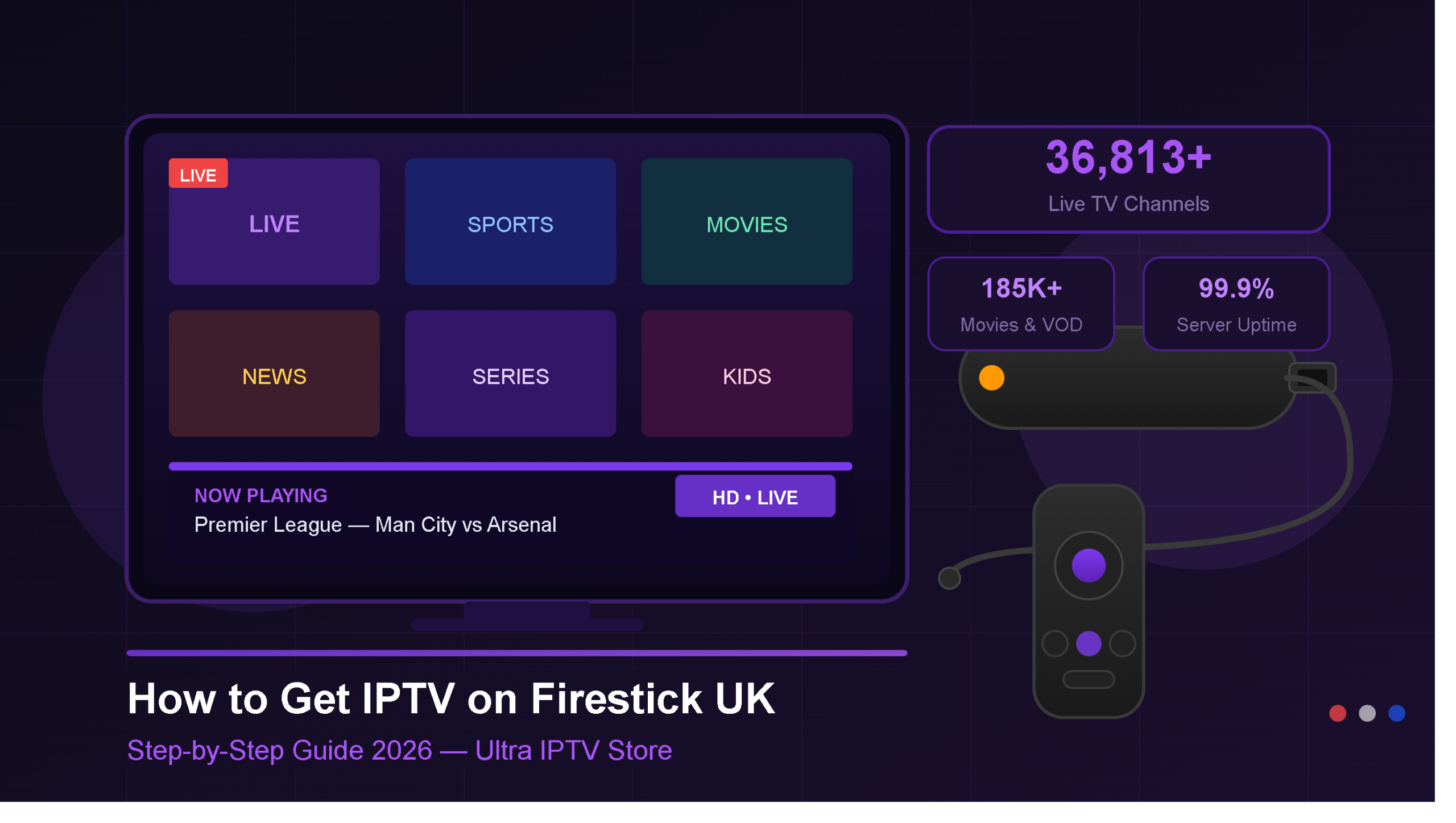
If you own an Amazon Firestick and you’re in the UK, you’re sitting on one of the best IPTV streaming devices money can buy. Setting up IPTV on Firestick is easier than most people think — and once it’s done, you’ll have access to over 36,813 live TV channels, thousands of movies, and live sports in HD and 4K, all from your sofa.
In this guide, we’ll walk you through exactly how to get IPTV on Firestick UK in 2026 — step by step, no technical experience needed.
What You Need Before You Start
Let us first gather the following before beginning with the installation process:
1. Amazon Firestick or Fire TV
This tutorial works for all Firestick devices including Firestick Lite, Firestick 4K, Firestick 4K Max, and Fire TV Cube.
2. Good Internet Connection
You will require a minimum internet speed of 10 Mbps for HD streaming and 25 Mbps or more for 4K streaming. All standard UK broadband services can fulfil this requirement easily.
3. Reliable IPTV Subscription
You will need an active IPTV subscription UK with an M3U link or Xtream Codes (username, password, and server URL). If you don’t have one yet, Ultra IPTV Store provides immediate activation starting from just €15/month — offering over 36,813 live channels, 185,000+ movies and series, and 99.9% server uptime.
4. IPTV Player Application
We will be discussing the required IPTV player application in the following steps. The most preferred choice for Firestick users in the UK is IPTV Smarters Pro or TiviMate.
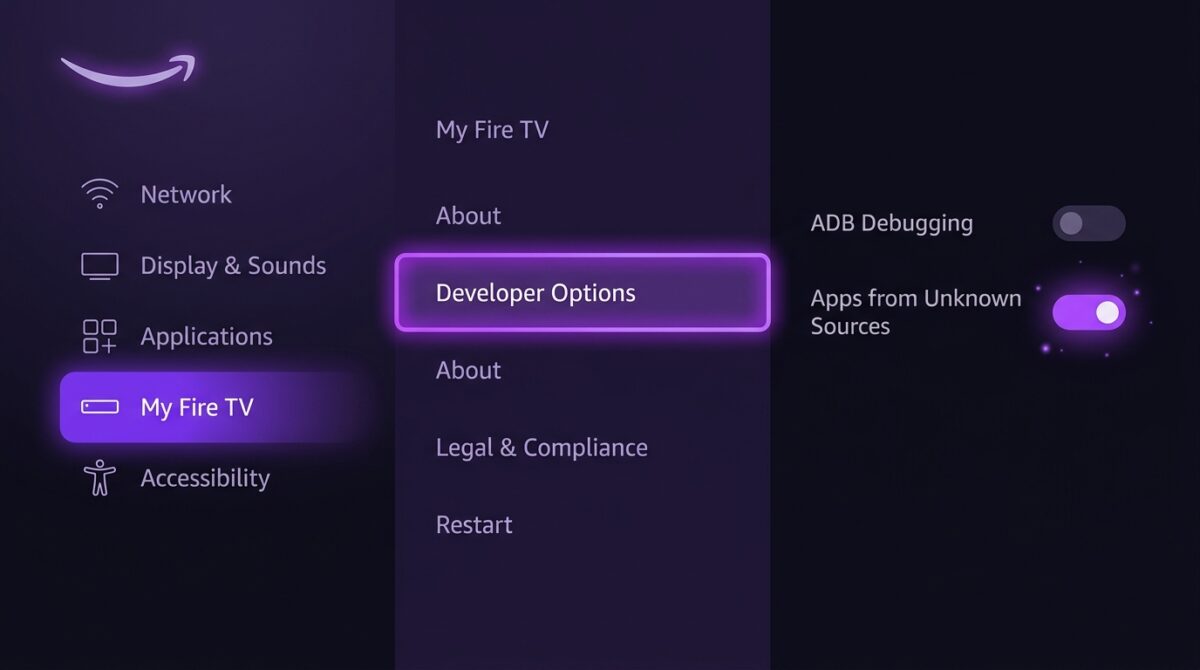
Step 1 — Enable Apps from Unknown Sources on Firestick
Out of the box, Amazon Firestick restricts installing apps from anywhere other than the Amazon App Store. Here’s what you have to do:
- From the main page of your Firestick, navigate to Settings
- Go to My Fire TV
- Tap on Developer Options
- Tap on Apps from Unknown Sources and turn it ON
- Confirm by selecting Turn On
Step 2 — Download the Downloader App
The Downloader app makes it easy to sideload IPTV apps onto your Firestick. It’s free and available directly from the Amazon App Store.
- Return to the Home screen of your Firestick
- Press the magnifying glass (Search) icon
- Type “Downloader”
- Choose the orange-coloured Downloader app
- Tap Download and wait for installation to complete
- Open the app and allow storage permissions when prompted
Step 3 — Install an IPTV Player on Your Firestick
Now you need to install an IPTV player. For UK users, we recommend IPTV Smarters Pro — it’s clean, simple, and works perfectly with M3U links and Xtream Codes.
To install IPTV Smarters Pro via Downloader:
- Open the Downloader app
- In the URL box, type the direct APK download link for IPTV Smarters Pro
- Hit Go and wait for the file to download
- Once downloaded, tap Install
- After installation, tap Open
Alternatively, search for “IPTV Smarters” directly in the Amazon App Store — it may be available depending on your region.
Other popular IPTV apps that work great on Firestick include:
- TiviMate IPTV Player — excellent UI, great for EPG
- GSE Smart IPTV — flexible and feature-rich
- Perfect Player — lightweight and reliable
Step 4 — Enter Your Ultra IPTV Store Login Details
Once your IPTV player is open, it’s time to connect it to your Ultra IPTV Store account.
If using Xtream Codes (recommended):
- Open your IPTV app and select “Add New User” or “Xtream Codes API”
- Enter a name (e.g., Ultra IPTV)
- Enter your Server URL, Username, and Password — all sent instantly after you subscribe to Ultra IPTV Store
- Tap Add User or Connect
If using M3U Link:
- Select “Add Playlist” or “M3U URL”
- Paste your M3U link provided by Ultra IPTV Store
- Tap Load or Add
Your channels, movies, and series will load within seconds. With 36,813+ live channels and 185,000+ VOD titles, your Firestick is about to become your most powerful entertainment device ever.
Step 5 — Start Streaming
Once your playlist loads, you’re live. Browse through:
- Live TV — UK channels, international channels, sports, news, kids
- Movies & Series — updated daily with the latest releases
- Catch-Up TV — watch shows you missed from the last 7 days
- EPG (Electronic Programme Guide) — see what’s on now and upcoming
Ultra IPTV Store’s AntiFreeze Technology ensures your streams stay smooth and buffer-free — even during peak times like Premier League matchdays or Saturday night films.
Tips for the Best IPTV Experience on Firestick UK
Setting up IPTV is only part of the process. Use these tips to get the most out of your setup:
- Use a wired Ethernet connection where possible — plug your Firestick directly into your router using an Ethernet adapter for a more stable stream than Wi-Fi
- Keep your Firestick updated — go to Settings → My Fire TV → About → Check for Updates regularly
- Clear your IPTV app cache — go to Settings → Applications → Manage Installed Applications, find your IPTV app, and tap Clear Cache every few weeks
- Use a VPN (optional) — some UK users prefer a VPN for added privacy or to stop their ISP throttling streaming traffic
- Switch to HD if buffering — if your connection is slower, use HD instead of 4K inside your IPTV app. Ultra IPTV Store offers multiple quality options for every channel
Want to Earn Money with IPTV? Join Our Reseller Panel
If you’re interested in more than just watching — our IPTV Reseller Panel lets you build your own IPTV business from scratch.
With the Ultra IPTV Store Reseller Programme, you get:
- Your own reseller dashboard to manage customers
- Bulk IPTV credits at wholesale prices
- Ability to create trial lines and subscriptions instantly
- Access to our full 36,813+ channel library for all your customers
- Dedicated reseller support available 24/7
No technical background needed. If you can manage a WhatsApp group, you can run a profitable IPTV reseller business UK. 👉 Visit the Reseller Panel to get started today.
Frequently Asked Questions — IPTV on Firestick UK
1. Is using an IPTV service with Firestick in the UK legal?
Using a Firestick itself is completely legal. Whether an IPTV provider is legitimate depends on their licensing. Ultra IPTV Store provides access through a paid subscription model. If unsure about any provider, always check their terms before subscribing.
2. What are the best IPTV apps for UK Firestick users in 2026?
The three best IPTV apps for UK Firestick users are IPTV Smarters Pro, TiviMate, and GSE Smart IPTV. All work seamlessly with M3U links and Xtream Codes from Ultra IPTV Store.
3. Why is my IPTV buffering on Firestick?
Buffering is usually caused by slow internet or server issues. Aim for at least 10 Mbps for HD and 25 Mbps for 4K. Ultra IPTV Store uses AntiFreeze Technology and maintains 99.9% server uptime to keep buffering to a minimum.
4. Can I use IPTV on more than one Firestick?
Yes! Ultra IPTV Store offers multi-device plans supporting up to 3 simultaneous connections — living room TV, bedroom TV, and mobile device, all on one subscription.
5. Do I need a VPN to use IPTV on Firestick UK?
A VPN is not required to use Ultra IPTV Store. However, some UK users choose one for added privacy or to bypass ISP throttling on streaming traffic.
6. How do I get my M3U link or Xtream Codes from Ultra IPTV Store?
After you choose your plan and payment is confirmed, your M3U link or Xtream Codes are sent instantly via WhatsApp or Telegram — most customers receive details within minutes.
7. Can I watch Premier League and UK sports on IPTV via Firestick?
Absolutely. Ultra IPTV Store includes all major UK sports channels — Premier League, Champions League, FA Cup, Boxing, Cricket, Formula 1, Rugby, and much more — all in HD and 4K directly on your Firestick.
Looking for the best IPTV subscription UK? Visit Ultra IPTV Store and start streaming today — instant activation, 24/7 support, and over 36,813 channels waiting for you.